Building the Facial Recognition System

- I'm Tuan. I graduated Hanoi University of Science and Technology in 2019
- Major: Information Technology
- Leetcode : nguyenvantuan2391996
- My blog: https://tuannguyenhust.hashnode.dev/
- Linkedin : Tuan Nguyen Van
Hà Nội 2025 - Wish all the best will come to you!

I. Introduce
Recently, AI is strong and popular, waking up with LLM ( Large Language Model ). The person questions it and its self-reasoning, delving into big data models. With its intelligence, many companies and organizations invest a lot of money in acquiring the technology. According to my personal opinion, LLM has a disadvantage in the latency process. Now, the latency process is pretty high for responding to the answer. We can lose money to scale and handle the big data problem.
In AI, not only LLM but also traditional models are pretty OK. It was optimized and published for open source. It adapted to a lot of software demands. It was applied very popularly in our lives. Recently, [Monitoring and handling of traffic safety violations] (https://solutions.viettel.vn/vi/vi/chinh-phu-so/giam-sat-va-xu-ly-vi-pham-trat-tu-an-toan-giao-thong-trafficid.html) was set up in some districts of Vietnam.
Facial Recognition, I see it was applied very much. It is very stable. The accuracy is very high ( > 99% ). I surf the web, I see it is used for timekeeping and replacement to check the fingerprint. Searching some e-commerce sites, I see the prices are cheap in the range of 2 to 10 million VND. However, all machines have disadvantages in terms of timekeeping and face enrollment.

In this article, I will guide you through all the steps to build the Facial Recognition System. I will run it on the web app.
Note: The source code will implement all base logic: enroll, search face. With any other logic business, let's write the code and add it to the project. If you work for a start-up or a small company, you can add a little code to apply. It will be very fancy =)) I need a server or a personal computer with 4-8 GB of RAM.
II. System Components
1. PGVector
PGVector is an extension of PostgreSQL. It has a vector type. It allows computing similar distances between two vectors. PGVector supports three distance types:
Euclidean Distance: Distance as the crow flies. It is so familiar to us since middle school.
Inner Product: Measure the correlation between two vectors using the formula for the sum of the products of the components of the two vectors.
Cosine Similarity: Measures the angle between two vectors in space. This similarity is familiar to level 3 :D
Note: You can research the formulas or details about distances and similarities online, they have been discussed a lot and in detail :D
There are pretty databases for searching the vector. Below are the five best databases in 2025. I use it to store the data, so I choose PGVector. Another database, you can review it.
Link: https://www.datacamp.com/blog/the-top-5-vector-databases
2. Deep Face
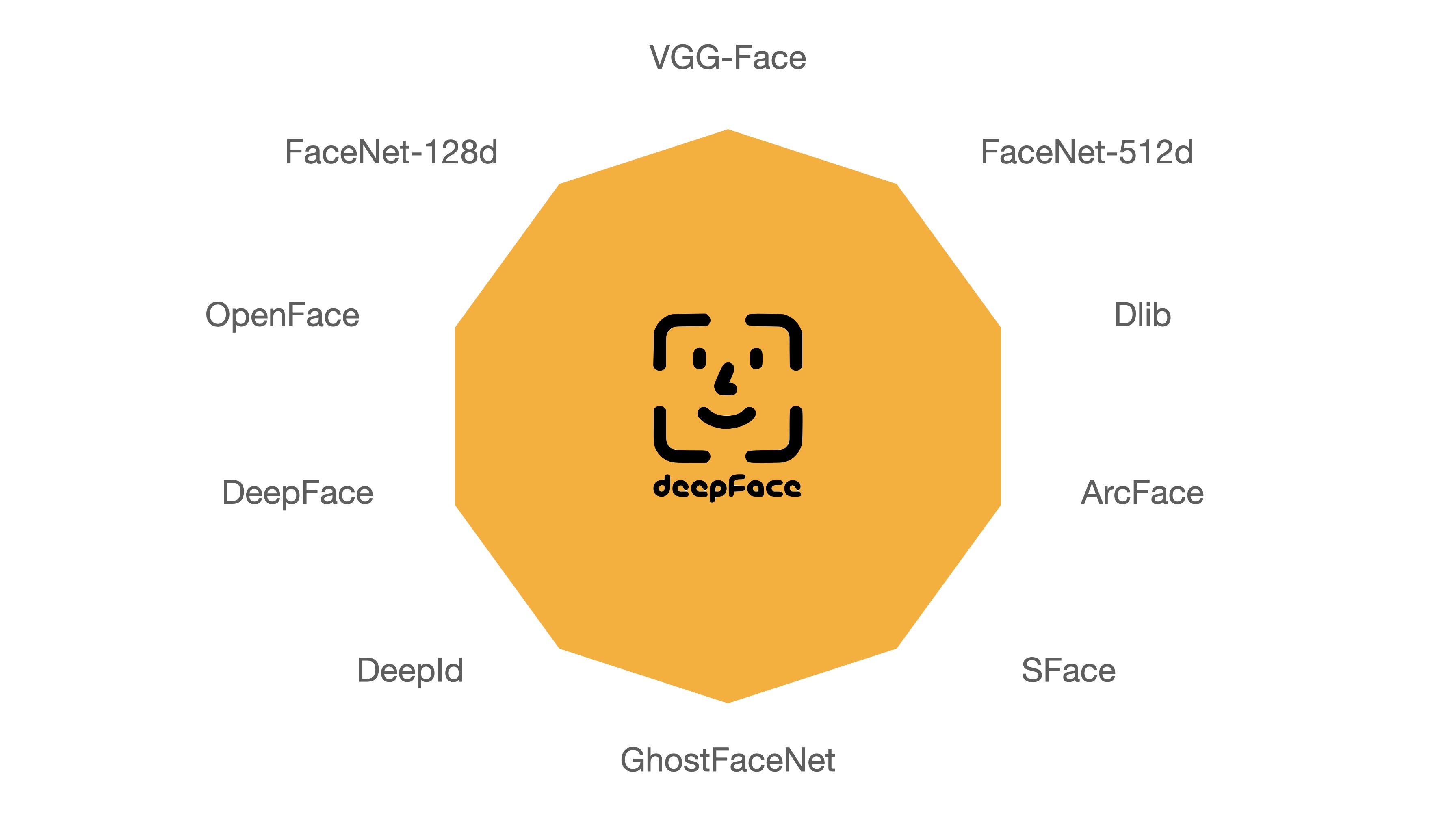
Using AI related to face is indispensable for this open-source library :D On GitHub, more than 15k stars is enough to show its reputation. Everyone can read more at the link below. The usage document is very detailed.
Link: https://github.com/serengil/deepface
| Model | Measured Score | Declared Score |
| Facenet512 | 98.4% | 99.6% |
| Human-beings | 97.5% | 97.5% |
| Facenet | 97.4% | 99.2% |
| Dlib | 96.8% | 99.3 % |
| VGG-Face | 96.7% | 98.9% |
| ArcFace | 96.7% | 99.5% |
| GhostFaceNet | 93.3% | 99.7% |
| SFace | 93.0% | 99.5% |
| OpenFace | 78.7% | 92.9% |
| DeepFace | 69.0% | 97.3% |
| DeepID | 66.5% | 97.4% |
The DeepFace library has a lot of models. The accuracy was published in the result table. I decided to choose ArcFace. In the code, you can download and change the other model :D
3. Minio storage

Minio is a storage for data: photos, videos, audio, etc. Designed to operate efficiently on standard servers and provide fast, secure, and highly scalable data storage. It has several outstanding features below:
MinIO Fully compatible with Amazon S3 API, allowing applications using MinIO to easily migrate to Amazon S3 (or vice versa).
MinIO can run on local servers, container environments (Docker, Kubernetes), or public clouds like AWS, Azure, and GCP.
MinIO is free, and the open source allows customization.
The link homepage Minio → https://min.io/
4. Language

Golang: an open-source programming language developed by Google. As you know, Go is high-performance and simple, so I use it to build the BE part to process logic.
Python: is an open source, general-purpose, high-level programming language designed by Guido van Rossum in 1991. When it comes to AI, Python is always the top choice :D because it supports almost everything, has countless libraries, and is especially easy to learn because it is closest to human language (Personal opinion) :D
JavaScript: is a general-purpose, open-source, dynamic programming language used primarily in web programming. JavaScript was designed by Brendan Eich and released in 1995. It's impossible to do FE without touching JS :D
III. How the system works

I draw fast flow action for the system, so it is not beautiful :D In general, it will run as follows.
Front-end service sends the image to the Back-end service.
Back-end service calls the AI service to detect the face -> calls deepface library -> extract the image's vector.
Back-end service store or search in PGVector with the input that contains a vector face.
Store the image in MinIO.
IV. Build The System
1. AI service
As introduced, the AI core is DeepFace open-source → Link: https://github.com/serengil/deepface
For sure! To build the AI service, I will use Python. The AI service will write the API for handling and responding to the result. I chose the fast-api library for building the REST APIs.
The source code → https://github.com/nguyenvantuan2391996/example-code/tree/master/face-recognition-attendance/face-extraction
def extract_face_vector(image_input, model_name) -> np.ndarray:
    img = cv2.cvtColor(image_input, cv2.COLOR_RGB2BGR)
    embedding = DeepFace.represent(img, model_name=model_name)
    if embedding is not None and len(embedding) > 0:
        return embedding[0]["embedding"]
    return np.empty(())


@app.post("/api/v1/extract/")
async def extract(file: UploadFile):
    try:
        file_content = await file.read()
        image_preprocess = Image.open(BytesIO(file_content))
        vector = extract_face_vector(np.array(image_preprocess), "ArcFace")

        return {
            "vector": vector,
        }
    except Exception as e:
        return {"error": f"System error. {str(e)}"}
I like Python because it is simple to code. I extract only the face image to the vector. All parameters, such as spoofing, wearing glasses, etc. We can see the description in the document.
2. Back-end Service
The Back-end service will be built in Golang because it is lightweight and fast. I applied the Clean Architecture for the project. This link → https://github.com/ropalma/ICMC-USP/blob/master/Book%20-%20Clean%20Architecture%20-%20Robert%20Cecil%20Martin.pdf

build: Storing the env.
common: Storing all components that look like thirty party, constants, common functions, etc.
handler: The component receives the request from the Front-end service, validate, parses, handles middleware functions, etc.
internal: The component contains all domains and infrastructure. The domain will handle logic business and call the infrastructure to CRUD the Database, Redis, etc.
static: The component contains the system's user interface.
    r.Static("/static", "./static")

    r.GET("/checkin", func(c *gin.Context) {
        c.File("./static/checkin.html")
    })

    r.GET("/enroll", func(c *gin.Context) {
        c.File("./static/enroll.html")
    })

    // employee APIs
    employeeAPI := r.Group("api/v1/employees")
    {
        // auth
        employeeAPI.Use(middlewares.APIKeyAuthentication())

        employeeAPI.POST("insert", h.Insert)
        employeeAPI.POST("search", h.Search)
    }

    err = r.RunTLS(":"+viper.GetString("PORT"), "server.crt", "server.key")
    if err != nil {
        return
    }
func (ar *EmployeeRepository) GetTopByDistanceType(ctx context.Context, distanceType string,
    embedding []float32) (*entities.Employee, error) {
    var record *entities.Employee

    vector, err := utils.ConvertArrayFloat32(embedding)
    if err != nil {
        return nil, err
    }

    query := fmt.Sprintf(`
        SELECT id, employee_id, employee_name, image_path, embedding %v '%v' as score
        FROM employees
        WHERE embedding %v '%v' <= %v
        ORDER BY score ASC
        LIMIT 1`, distanceType, vector, distanceType, vector, viper.GetFloat64(constants.Threshold))

    err = ar.db.Raw(query).Scan(&record).Error
    if err != nil {
        return nil, err
    }

    return record, nil
}
In infrastructure, there is a function GetTopByDistanceType used to get the employee information whose photo is closest to the uploaded face photo :D Of course, there will be a threshold to check. Here I set it to 0.4. Using the Euclidean distance to compare.
Note: You can understand that it will calculate the Euclidean distance from the input vector to all vectors in the database. If the vector is closer, the result will be closer to 0 → the result closest to 0 is that person :D
func (es *Employee) Insert(ctx context.Context, input *models.ImageInsertInput) (map[string]interface{}, error) {
    logrus.Info(fmt.Sprintf(constants.FormatBeginTask, "Insert", input))

    // extract the image to vector
    extraction, err := third_party.GetInstance().ExtractImage(&third_party.ImageExtractionRequest{
        Image:    input.ImageFile,
        FileName: input.ImageName,
    })
    if err != nil {
        logrus.Errorf(constants.FormatTaskErr, "ExtractImage", err)
        return nil, err
    }

    // search
    employee, err := es.employeeRepo.GetTopByDistanceType(ctx, constants.EuclideanDistance, extraction.Vector)
    if err != nil {
        logrus.Errorf(constants.FormatTaskErr, "GetTopByDistanceType", err)
        return nil, err
    }

    if employee != nil && employee.EmployeeID != input.EmployeeID {
        return nil, fmt.Errorf("employee id is invalid")
    }

    // seek file
    _, err = input.ImageFile.Seek(0, 0)
    if err != nil {
        logrus.Errorf(constants.FormatTaskErr, "Seek", err)
        return nil, err
    }

    // upload minio
    imagePath, err := es.uploadImageToMinIO(input)
    if err != nil {
        logrus.Errorf(constants.FormatTaskErr, "uploadImageToMinIO", err)
        return nil, err
    }

    // insert database
    err = es.employeeRepo.Create(ctx, &entities.Employee{
        EmployeeID:   input.EmployeeID,
        EmployeeName: input.EmployeeName,
        ImagePath:    imagePath,
        Embedding:    pgvector.NewVector(extraction.Vector),
    })
    if err != nil {
        logrus.Errorf(constants.FormatCreateEntityErr, "employee", err)
        return nil, err
    }

    return map[string]interface{}{
        "employee_id": input.EmployeeID,
    }, nil
}
This code stores the employee's face in the system.
Call the AI service to extract the vector
Searching the vector in database -> The employee ID does not equal the employee ID input -> the system returns an error.
Storing the image in minio to get the file URL.
Store the employee's information in the database.
func (es *Employee) Search(ctx context.Context, input *models.ImageSearchInput) (map[string]interface{}, error) {
    logrus.Info(fmt.Sprintf(constants.FormatBeginTask, "Search", input))

    extraction, err := third_party.GetInstance().ExtractImage(&third_party.ImageExtractionRequest{
        Image:    input.ImageFile,
        FileName: input.ImageName,
    })
    if err != nil {
        logrus.Errorf(constants.FormatTaskErr, "ExtractImage", err)
        return nil, err
    }

    if extraction.Vector == nil {
        return map[string]interface{}{
            "employee_name": "Unknown",
        }, nil
    }

    employee, err := es.employeeRepo.GetTopByDistanceType(ctx, constants.EuclideanDistance, extraction.Vector)
    if err != nil {
        logrus.Errorf(constants.FormatTaskErr, "GetTopByDistanceType", err)
        return nil, err
    }

    if employee == nil {
        return map[string]interface{}{
            "employee_name": "Unknown",
        }, nil
    }

    return map[string]interface{}{
        "employee_id":   employee.EmployeeID,
        "employee_name": employee.EmployeeName,
        "image_path":    es.getMinIOPublicURL(employee.ImagePath),
    }, nil
}
Searching for the employee's information
Calling the AI service to detect the face -> extract the face -> get the vector.
Searching the vector in database -> the record that contains the employee's information.
3. Front-end service
In the FE part, I use JavaScript + HTML + Tailwind to make the CSS more beautiful and use the face detect api library. I have referred to the library + face detect model on this guy's repo + some CSS I don't know how to edit, so I removed it. For example, to display the blue border to detect faces, I will replace it with the text face detected at the bottom of the screen :D If you think it's ok, please give that guy 1 star :D
https://github.com/bensonruan/Face-Detection
CHECKIN
  const video = document.getElementById('webcam');
  const statusText = document.getElementById('status');

  // Load FaceAPI Models
  async function loadModels() {
    await Promise.all([
      faceapi.nets.tinyFaceDetector.load('./static'),
    ])
  }

  // Start Webcam
  async function startWebcam() {
    try {
      video.srcObject = await navigator.mediaDevices.getUserMedia({video: true});
    } catch (error) {
      console.error("Error accessing webcam:", error);
      statusText.textContent = "Unable to access webcam. Check permissions.";
      statusText.classList.add("text-red-500");
    }
  }
Above is the source code to load the face detection model and enable the phone's camera when accessing the web application.
  async function detectFaces() {
    const detections = await faceapi.detectAllFaces(
            video,
            new faceapi.TinyFaceDetectorOptions()
    );

    // Update status
    if (detections.length > 0) {
      statusText.textContent = `Faces detected: ${detections.length}`;
      statusText.classList.add("text-green-500");
      statusText.classList.remove("text-red-500");

      document.getElementById("employee-name").textContent = "";
      document.getElementById("time").textContent = "";
      document.getElementById("checkin-status").textContent = "Checking...";

      captureImage()
      await sendImageToAPI()
    } else {
      statusText.textContent = "No face detected.";
      statusText.classList.add("text-red-500");
      statusText.classList.remove("text-green-500");
    }
  }

  function startDetection() {
    setInterval(() => detectFaces(), 2000);
  }
The code detect face detects a face in the camera, calls the api check-in to get the employee's information. Here to avoid spam, I will only detect after every 2s → the delay number can be adjusted by everyone! I think the number 2s is reasonable because it is enough for the employee to show his face and then capture it :D


Some pictures I checked in :D and the results
async function sendImageToAPI() {
    const canvas = document.getElementById('snapshotCanvas');

    // Convert canvas to Blob (image file)
    canvas.toBlob(async (blob) => {
      const myHeaders = new Headers();
      myHeaders.append("X-API-Key", "c3kvxLTTVaAF5aQU2BHRBnaI7kFvVzt3aJSZfUav6RzmKM6cBN");

      const formData = new FormData();
      formData.append('image', blob, 'image.png'); // Append the image as 'file'

      const requestOptions = {
        method: 'POST',
        body: formData,
        headers: myHeaders,
        redirect: "follow"
      };

      await fetch('https://10.124.67.6:8502/api/v1/employees/search', requestOptions)
              .then((response) => response.json())
              .then((result) => {
                const date = new Date();
                document.getElementById("employee-name").textContent = result.employee_name;
                document.getElementById("time").textContent = date.toDateString();
                document.getElementById("checkin-status").textContent = "Success";
              })
              .catch((error) => {
                console.log(error)
                document.getElementById("checkin-status").value = "Fail";
              });

    }, 'image/png');
  }
Just look and you'll know? :D The code gets the camera image, calls the check-in API, and shows the results received from the back-end server
ENROLL
    async function sendImageToAPI() {
        const canvas = document.getElementById('snapshotCanvas');

        // Convert canvas to Blob (image file)
        canvas.toBlob(async (blob) => {
            const myHeaders = new Headers();
            myHeaders.append("X-API-Key", "c3kvxLTTVaAF5aQU2BHRBnaI7kFvVzt3aJSZfUav6RzmKM6cBN");

            const formData = new FormData();
            formData.append('image', blob, 'image.png');
            formData.append('employee_id', document.getElementById("employee-id").value);
            formData.append('employee_name', document.getElementById("employee-name").value);

            const requestOptions = {
                method: 'POST',
                body: formData,
                headers: myHeaders,
                redirect: "follow"
            };

            await fetch('https://10.124.67.6:8502/api/v1/employees/insert', requestOptions)
                .then((response) => response.json())
                .then((result) => {
                    if (!!result.error) {
                        alert('Error enroll: ' + result.error);
                        return
                    }
                    alert('Successfully!');
                })
                .catch((error) => {
                    alert('Error enroll: ' + error.message);
                });
        }, 'image/png');
    }

    // Capture image from video feed
    async function captureImage() {
        const video = document.getElementById('webcam');
        const canvas = document.getElementById('snapshotCanvas');
        const context = canvas.getContext('2d');
        canvas.width = video.videoWidth;
        canvas.height = video.videoHeight;
        context.drawImage(video, 0, 0, canvas.width, canvas.height);

        // Show captured image
        document.getElementById('captureResult').classList.remove('hidden');

        await sendImageToAPI()
    }
Similar to check-in, this registration section will allow employees to enter information and put their face in front of the camera, then send the employee's information to BE for processing.
V. Final
Here are some pictures and videos of the results after building the code, everyone ^^


